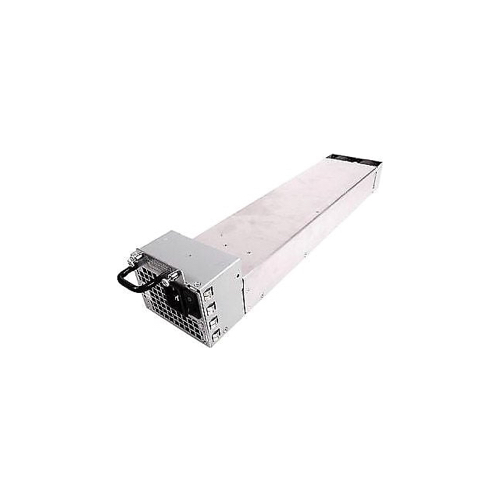
EX-UM-4X4SFP Juniper 4x10GBE SFP+ Uplink Module, EX4300
Juniper EX-UM-4X4SFP 4-Port 10GbE SFP+ Uplink Module
High-Speed Fiber Uplink Expansion for Juniper EX4300 Series Switches
The Juniper EX-UM-4X4SFP is a high-performance uplink expansion module designed to enhance the connectivity and scalability of EX4300 Series Ethernet switches. Developed by Juniper Networks, this module provides four 10-Gigabit Ethernet SFP+ uplink ports, enabling high-speed connections to core switches, aggregation layers, and data center infrastructure.
Designed for enterprise and campus networking environments, the EX-UM-4X4SFP significantly increases uplink bandwidth for EX4300 deployments, helping reduce oversubscription and improve overall network performance. Each port supports 10GbE SFP+ transceivers and is also backward compatible with 1GbE SFP modules, allowing organizations to gradually upgrade from 1G to 10G networking without replacing existing optical infrastructure.
The module features a hot-swappable design, allowing installation or replacement without powering down the switch. This capability ensures minimal downtime during upgrades or maintenance, making it ideal for mission-critical enterprise networks.
Fully integrated with Junos OS, the EX-UM-4X4SFP works seamlessly with EX4300 switch features and management tools. The uplink ports can be configured either as standard network uplinks or as Virtual Chassis Ports (VCPs), enabling multiple switches to operate as a single logical device for simplified management and increased network resilience.
With its flexible transceiver support, high-speed 10GbE connectivity, and seamless integration with EX4300 switches, the Juniper EX-UM-4X4SFP is a reliable solution for scaling enterprise campus networks, data center access layers, and high-performance switching environments.
Product Specifications – Juniper EX-UM-4X4SFP 4-Port 10GbE SFP+ Uplink Module
CLICK HERE FOR DATA SHEET
| Specification | Details |
|---|---|
| Manufacturer | Juniper Networks |
| Product Name | Juniper EX-UM-4X4SFP |
| Product Type | 10GbE Uplink Expansion Module |
| Part Number | EX-UM-4X4SFP |
| Switch Compatibility | Juniper EX4300 Series |
| Port Density | 4 × 10 Gigabit Ethernet SFP+ ports |
| Interface Type | SFP+ (Small Form-Factor Pluggable Plus) |
| Supported Transceivers | 10GbE SFP+ and 1GbE SFP |
| Data Rate | Up to 10 Gbps per port |
| Backward Compatibility | Supports 1GbE SFP modules |
| Maximum Distance | Up to 80 km depending on SFP+ optic |
| Hot-Swappable | Yes |
| Installation Type | Plug-in uplink module |
| Slot Requirement | Dedicated uplink module slot on EX4300 |
| Virtual Chassis Support | Ports can function as VCPs (Virtual Chassis Ports) |
| Operating System | Junos OS |
| Network Role | Switch uplink or inter-switch connectivity |
| Deployment | Campus networks, enterprise access layers, data center edge |
| Management | Managed through Junos OS and EX4300 switch CLI/GUI |
| Field Replaceable | Yes |
| Dimensions | Fits standard EX4300 uplink module bay |
FAQs:
Q1. Can I use 1G SFP modules in these 10G slots?
Yes. All four ports on the EX-UM-4X4SFP are dual-mode, meaning they can accept standard 1-Gigabit SFP transceivers in addition to 10-Gigabit SFP+ transceivers.
Q2. Is this module compatible with the EX4200 or EX4500 switches?
No. This specific module is designed exclusively for the EX4300 series. Other EX switches use different uplink module form factors (e.g., the EX-UM-2X4SFP for the EX4200).
Q3. Do I need to reboot the switch after installing this module?
No. The module is hot-swappable. Once inserted into the EX4300 chassis, the Junos OS will detect the module and the ports will become available for configuration.
Q4. Can these ports be used for stacking?
Yes. On the EX4300, these uplink ports can be configured as Virtual Chassis Ports (VCPs) using the Junos CLI, allowing you to stack switches across longer distances using fiber optics.
Q5. Does the module include the transceivers?
No. The EX-UM-4X4SFP is an empty 4-slot carrier. You must purchase the SFP+ or SFP transceivers (SR, LR, DAC, etc.) separately based on your cabling requirements.